Quicktip: Thread – All-Quad Modelling
I saw this quad-solution somewhere a long time ago and can´t find it anymore, so i tried to replicate it.
How to make the threads .. i think there are enough other tutorials out there.
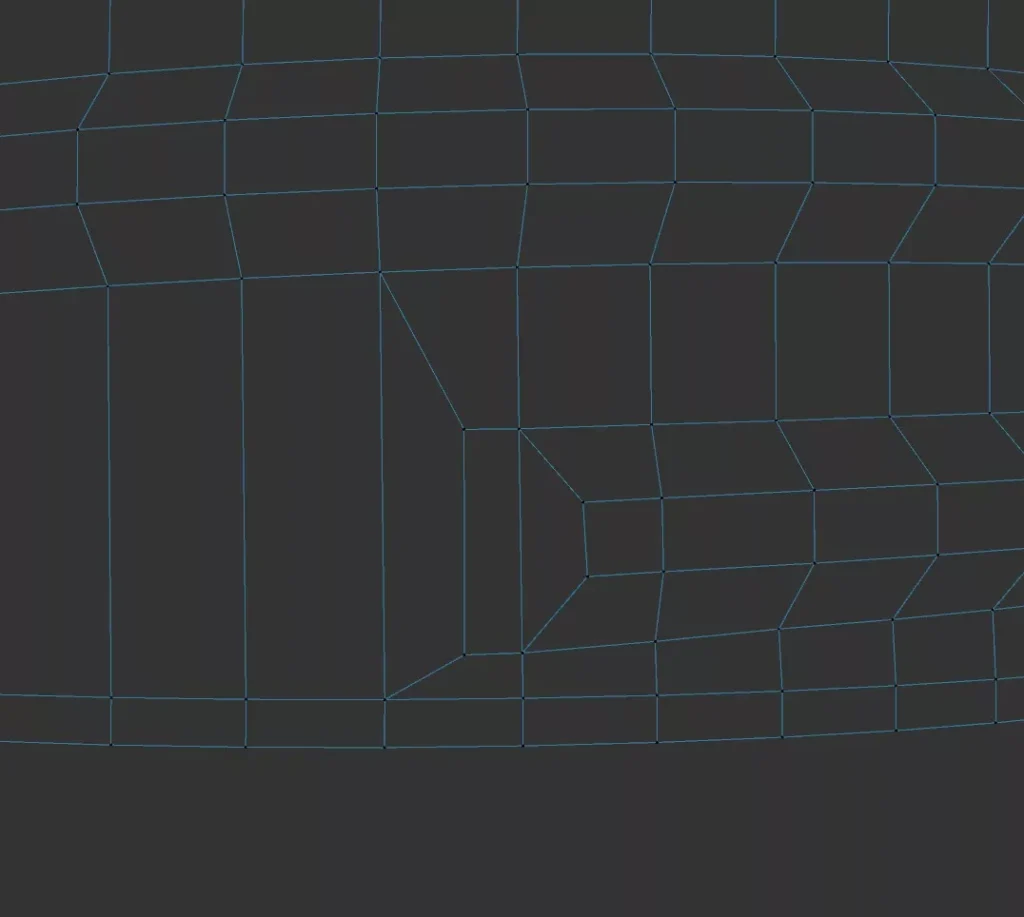

I saw this quad-solution somewhere a long time ago and can´t find it anymore, so i tried to replicate it.
How to make the threads .. i think there are enough other tutorials out there.
Grober Arbeitsablauf: Denn Motorradhelm habe ich mit Photogrammetrie digitalisiert und dann in Cinema 4D als FBX importiert. Mit ein paar Referenzen von der Lego-Animation-Serie gings an das Modellieren des Visiers und der zusätzlichen 3D-Teile am Helm. 3dee.at in Wien hat mir die Anbauteile dann mit FDM/FLM Material ausgedruckt, … schleifen, spachteln und nochmal schleifen. Zum…
I have never used before a railspline in a sweep-object … so here is how it works. This is a sweep object with a regular profile-spline and a spline for the extrusion and its deformed because the profile rectangle is trying to get along with the b-spline and it looks kind of messy . thats…
Export UV Map as png, jpg, bmp, .. go to „Files – Export UV“ for Photoshop or any other programm with UDIM Tiles.
If you have distorted, a see-through-effect or just a strange view behaviour of your mesh in substance painter you should check your polygon-normals. They can cause an error if their direction is reverse. Painting should also be producing only errors, also with a correct uv-layout.