Quicktip: Thread – All-Quad Modelling
I saw this quad-solution somewhere a long time ago and can´t find it anymore, so i tried to replicate it.
How to make the threads .. i think there are enough other tutorials out there.
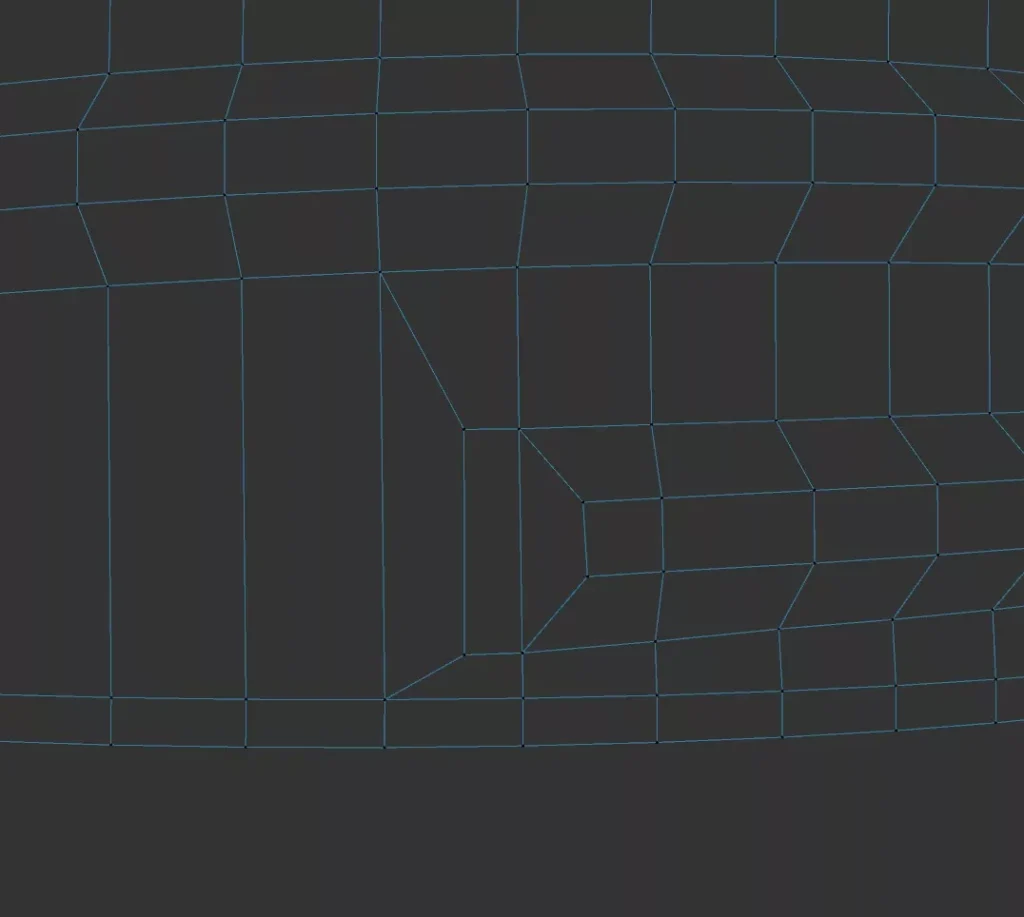

I saw this quad-solution somewhere a long time ago and can´t find it anymore, so i tried to replicate it.
How to make the threads .. i think there are enough other tutorials out there.
some macro photos of a paper book as reference for material creation. high-res-download: https://stefaneder.at/wp-content/uploads/2025/macro_paper.zip
Sometimes your brush oder eraser paints over UV parts that you don´t want to paint … change Aligment in the brush-tool from Tangent to UV to fix the error
https://code.vonc.fr/outils open source tool – calcute the area and volumen of an object in Cinema4D
If you have a bitmap (jpg/png/…) sequence as preview in After Affects and then replace it with an 16-bit oder 32-bit exr-sequence it could happen that the colors are way off, too dark and no gamma or exposure correction is really helpful then you could possible fix it, with the „interpret footage“-option. right-click on your…
Grober Arbeitsablauf: Denn Motorradhelm habe ich mit Photogrammetrie digitalisiert und dann in Cinema 4D als FBX importiert. Mit ein paar Referenzen von der Lego-Animation-Serie gings an das Modellieren des Visiers und der zusätzlichen 3D-Teile am Helm. 3dee.at in Wien hat mir die Anbauteile dann mit FDM/FLM Material ausgedruckt, … schleifen, spachteln und nochmal schleifen. Zum…
Packing Options – Scale Optimization