rizum uv packing while keeping texel density
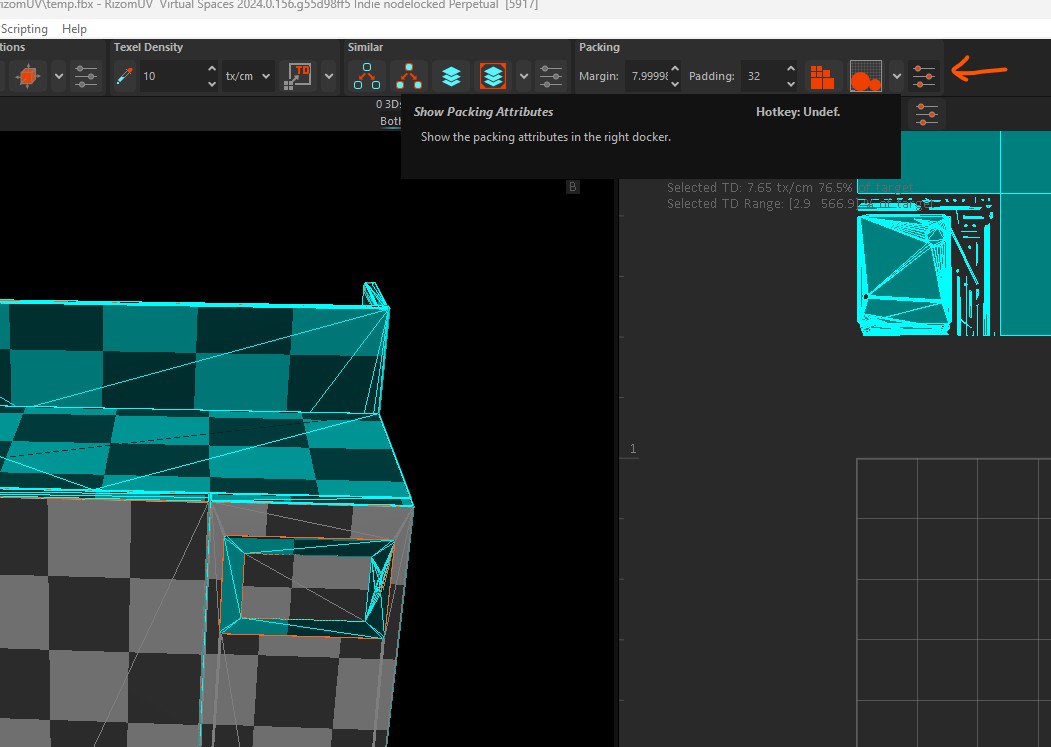
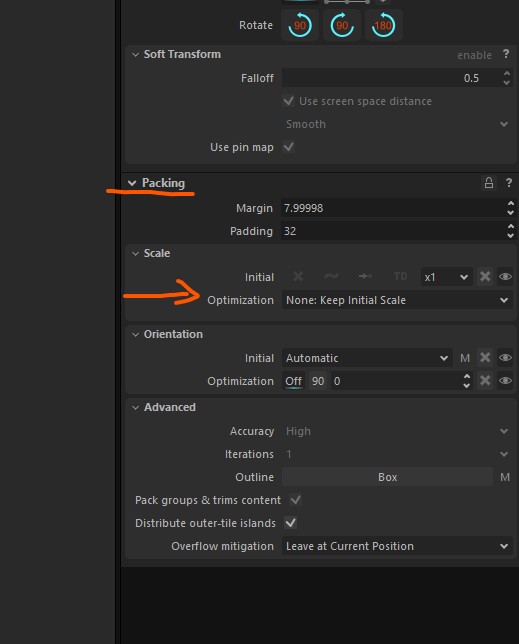
Packing Options – Scale Optimization

Packing Options – Scale Optimization
double-click on the button in „edit palette“-mode
https://realaturtur.gumroad.com/l/variabletokensc4d Variable Tokens plug-in for Cinema 4D gives a ten (10) token slots that you can use as you wish. Created for advanced Cinema 4D users who need versatile tokens. Required Cinema 4D version R21 -> 2023 by Arttu Rautio
Menue-> Selection -> Selection-Filter you can find the „Selection“-Object. There you can save any selection you like .. from tags to objects
Today i have to use the command „Change point order“ (Punktreihenfolge ändern) for the first time. On an object the clones didn´t rotate all in the same direction … why? … i have no clue. –> notice that i have activated „Align Clone“! the command that helped was „Change Point Order“. Mark the polygons with…
If you have distorted, a see-through-effect or just a strange view behaviour of your mesh in substance painter you should check your polygon-normals. They can cause an error if their direction is reverse. Painting should also be producing only errors, also with a correct uv-layout.
If you have problems/errors with your opacity channel in combination with displacement in c4d octane, it could be that you are using the exact same texture which results in some kind of fade out effect. You have to modfiy the opacity image in a way that your black and white colors are a little bit…